Scarlett Johansson has raised concerns about OpenAI possibly using her voice without authorization, despite her clear directive not to use it.
Scarlett Johansson revealed that OpenAI requested her to be the voice for ChatGPT. When she declined, she alleges that the company went ahead and developed a voice that closely resembled hers. In a statement to NPR, Johansson shared that she has had to hire legal counsel and has sent two letters to OpenAI questioning the creation of the voice named Sky. She explained that last September, Sam Altman offered her the role for the ChatGPT 4.0 system. Altman contacted her agent again just two days before the demo, urging her to reconsider.
Johansson expressed her frustration with OpenAI's actions, feeling compelled to seek legal advice to address the situation. She emphasized that her refusal was clear, yet the company proceeded with a voice imitation, raising ethical and legal concerns. The repeated attempts by Altman to persuade her, even shortly before the public demonstration of ChatGPT, highlighted the urgency and importance the company placed on having her voice, which ultimately led to the current dispute.
Early Monday morning, OpenAI announced the removal of the voice known as Sky from ChatGPT. This decision was made to address concerns regarding the selection process for the voices used in ChatGPT. The company aims to ensure transparency and respond to the questions raised about how these voices were chosen, particularly in light of the controversy surrounding Scarlett Johansson's allegations about the use of a voice imitation resembling hers without proper consent.
Scarlett Johansson expressed being "shocked, angered, and in disbelief" over how "eerily similar" the voice of Sky sounded to her own. OpenAI stated that the voice is from an actor using their normal voice but declined to reveal the actor’s name due to privacy concerns. Sky’s voice has been available since ChatGPT’s voice mode launched last September. The similarity to Johansson became evident with an updated AI model demo last week, sparking comparisons to her role in "Her" and even leading to a joke on Saturday Night Live. Johansson seeks transparency and has asked OpenAI to detail the creation process of Sky’s voice. OpenAI's CTO Mira Murati claimed the voice was not intended to mimic Johansson, and the company is in discussions with her representatives.
A representative for Scarlett Johansson sent the following statement to The Verge:
Do you want to try some free GitHub Copilot alternatives?
Look no further!
In this article, I have compiled an ultimate list of Free GitHub Copilot Alternatives for Visual Studio Code. Some of these tools are even open source.
You just need to install the extension in your VS Code editor to start using the AI coding assistant.
Comparison of Free GitHub Copilot Alternatives
Below is a side-by-side comparison of various Copilot alternatives.
The results show that Bito surpasses all other AI coding assistants in terms of deep codebase understanding and context-aware accuracy in suggestions. Even GitHub Copilot lacks many features that are available in Bito.
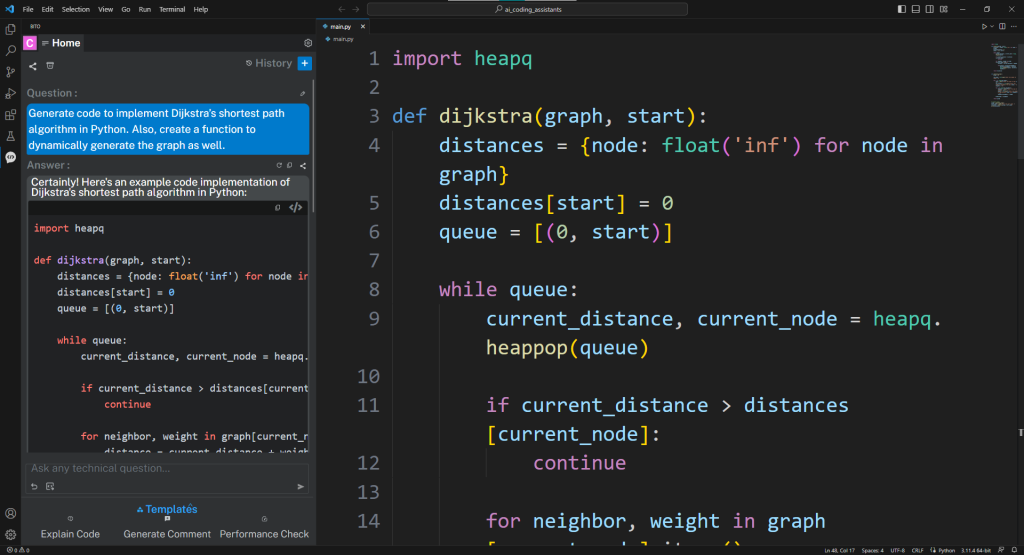
Unlike GitHub Copilot, Sixth understands your local codebase inside VS Code by leveraging the power of embeddings and a vector database. It offers highly relevant AI code completions as you type or via code comments. It features an AI-powered chatbot where you can ask questions regarding your entire codebase. It also maintains a history of your conversations, thereby generating better context-aware answers.
Sixth is the highest rated AI app in the Visual Studio Code marketplace (with a rating of 4.9 out of 5). It has over 20,000 active monthly users so it seems to be well-liked by developers.
It has many one-click templates to generate unit tests, clean code, explain code, etc. and opens all answers in your IDE’s native diff view to make it easy for you to decide which to keep.
You can start by asking a question and Sixth will reply you with a precise answer. If you don’t like something in the answer, tell Bito to fix it.
Since Sixth is using sophisticated models from OpenAI (GPT-4, GPT-3.5 Turbo) and Anthropic (Claude 2, Claude Instant) it is very versatile. You can ask it to generate code, improve code performance, explain a concept, etc.
Sixth is based on GPT-4 architecture which enables you to pass large code blocks as input.
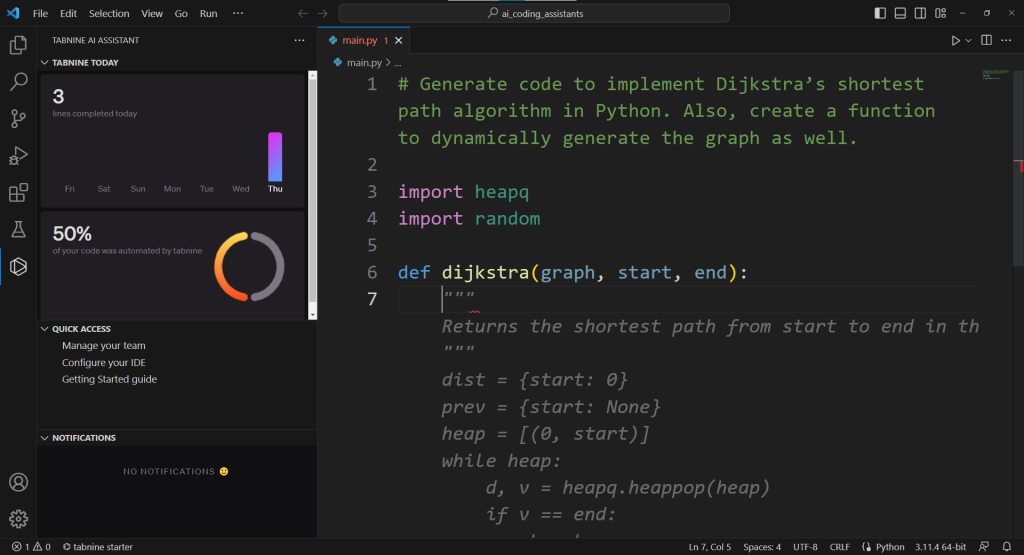
The working of Tabnine is similar to that of Copilot. But, some of its advantages include personalized AI models, self-hosting, offline access, and code privacy.
Their free plan only offers basic code completions. It suggests code line by line.
To get better suggestions from Tabnine, you must give it some context using natural language prompts and your own code.
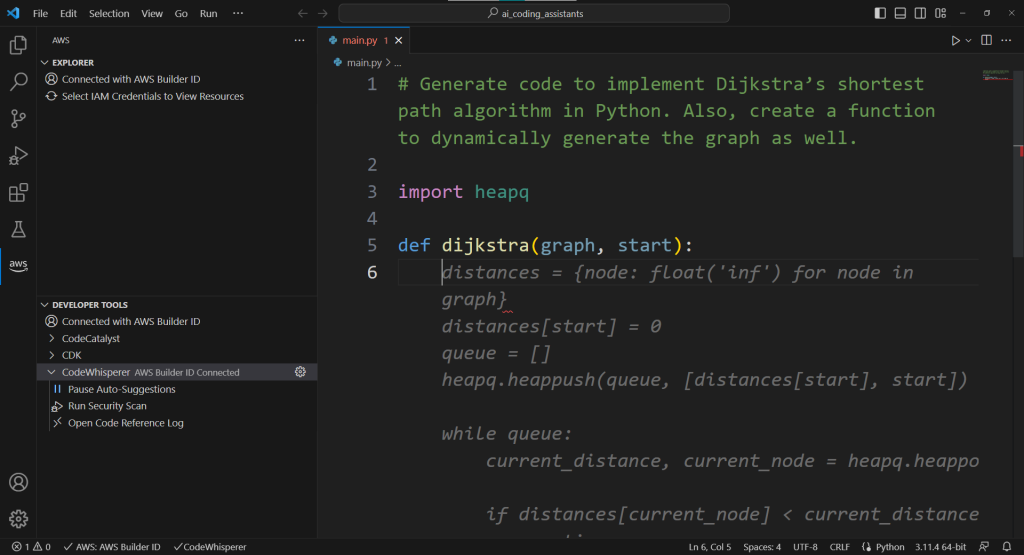
3- Amazon CodeWhisperer
Amazon CodeWhisperer suggests entire functions and code snippets (up to 10–15 lines of code) in real-time.
It is optimized for use with AWS APIs like Amazon EC2, AWS Lambda, and Amazon S3.
Amazon CodeWhisperer can also scan your source code to detect security vulnerabilities. It follows the best practices outlined by Open Worldwide Application Security Project (OWASP).
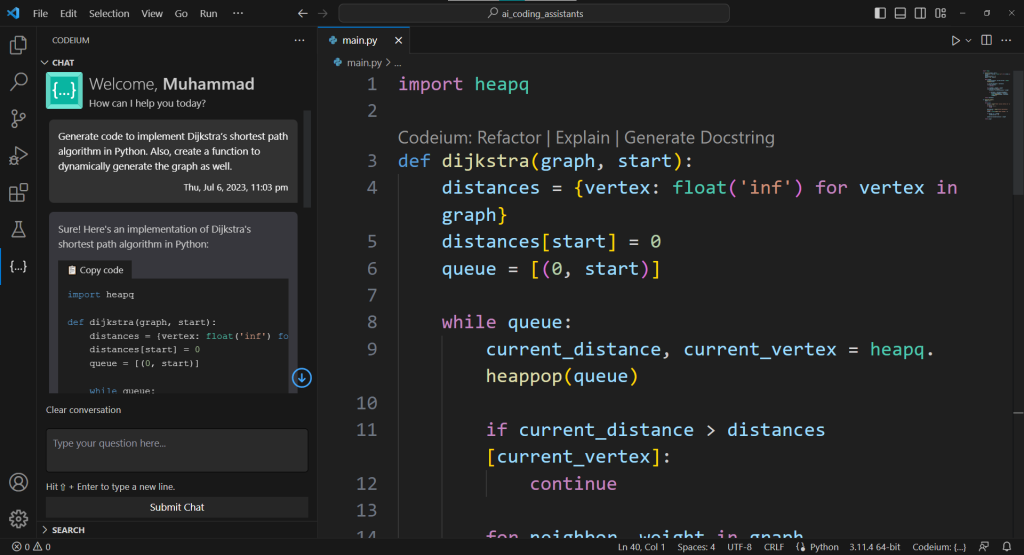
4- Codeium
Codeium is an AI coding companion powered by in-house generative AI models and infrastructure. The AI models are trained in 70+ popular programming languages.
It offers code autocompletion, intelligent search (find files and code in a project folder using natural language prompts), and AI-Powered Chat.
They also have an online playground to test the functionality of Codeium without signup.
Ready for a better code review?
Sixth AI Code Review Agent cuts down 50% of human engineering time spent in pull requests.
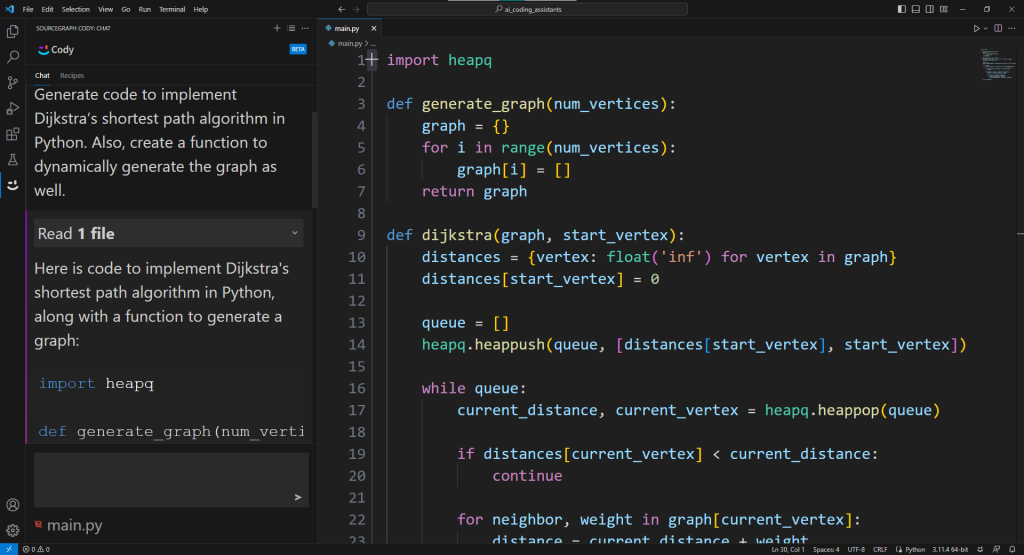
Cody is an open-source AI coding assistant created by Sourcegraph. It uses Large Language Models with Sourcegraph’s Code Graph API to provide coding assistance.
Its chatbot can answer your technical questions right inside the VS Code. Cody also provides autocompletion as you type code in the editor.
Cody can easily understand complex codebases. Enabling you to ask questions regarding your code.
6- FauxPilot
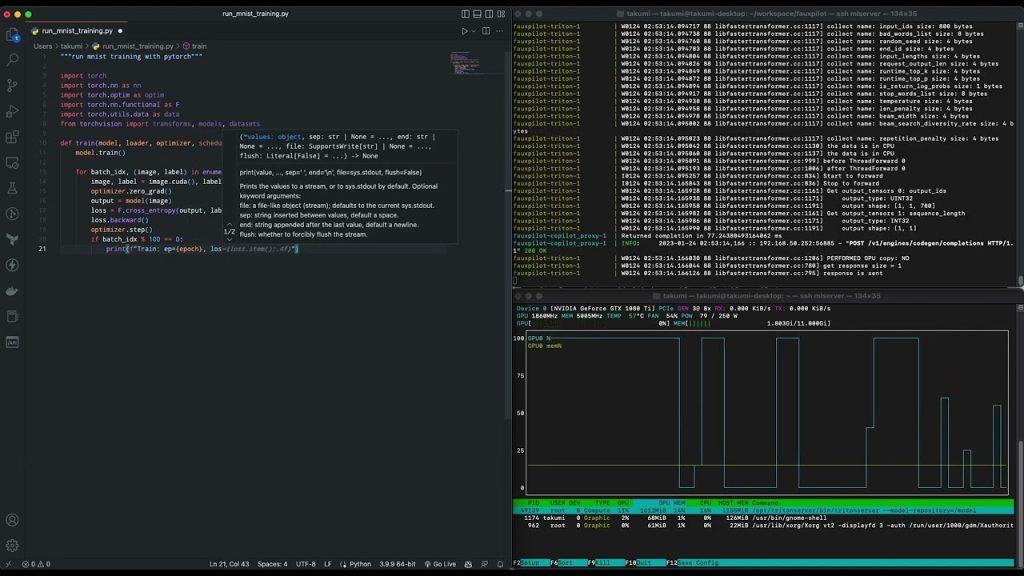
FauxPilot is an open-source alternative to GitHub Copilot. You can host it on your server or use it offline on a computer.
Unlike GitHub Copilot which uses OpenAI Codex, FauxPilot is powered by SalesForce CodeGen models which are very competitive with OpenAI Codex.
By default, FauxPilot doesn’t provide an extension for VS Code. But, another developer has created the FauxPilot extension for VS Code and also made it open source.
I would only recommend using this if you are comfortable working with Docker because the installation steps of FauxPilot might be a bit complex.
If you are on Windows, use this repository to install FauxPilot.
7- Tabby
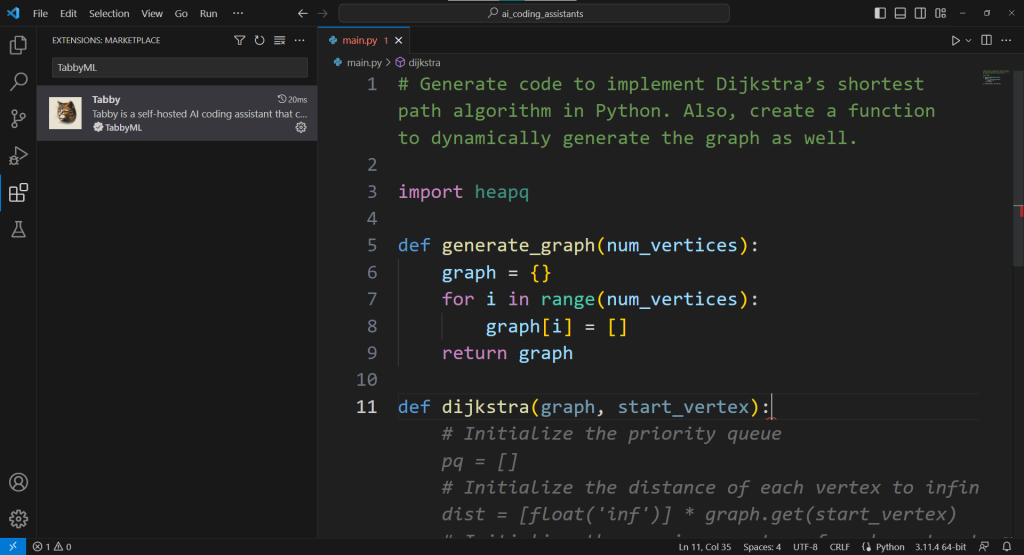
Tabby is an open-source self-hosted AI coding assistant. It can suggest entire functions or multi-line code snippets as you type. It takes context from your code and comments.
The best thing about Tabby is that it can be fine-tuned for any project. To train Tabby, you need a PC with a good GPU accelerator (e.g. RTX 3080). The training process can be configured using the YAML file.
You can also try Tabby inside the browser without signup.
8- CodeGeeX
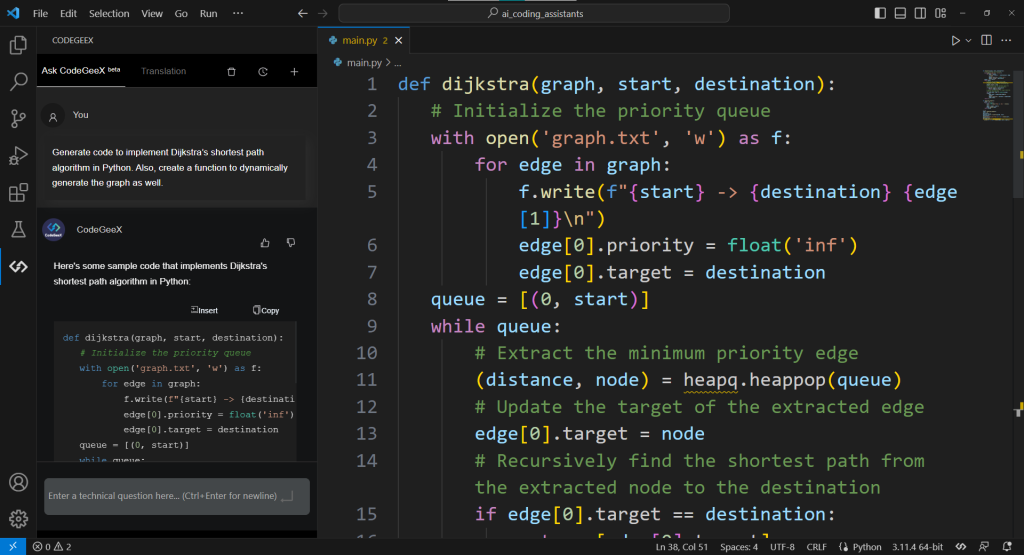
CodeGeeX is an open-source code generation model trained in more than 20 programming languages (e.g. Python, JavaScript, Java, C++/C, Go, etc.). It utilizes 13 billion parameters and produces very high-quality results.
It can be used for code suggestion, translation, explanation, and summarization.
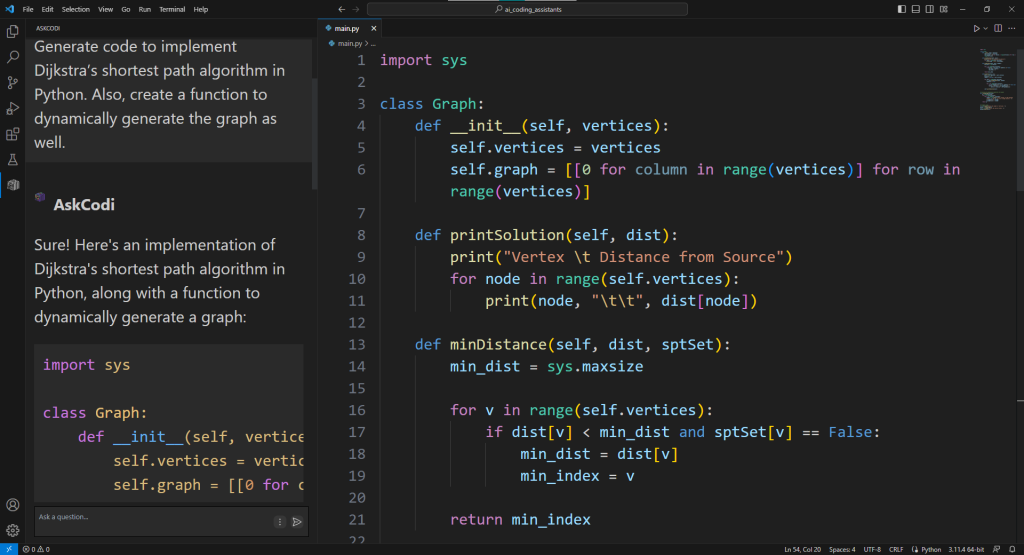
AskCodi is a free alternative to GitHub Copilot for VS Code. It uses OpenAI Codex to perform many tasks of an AI code assistant.
For example, it can be used for code suggestions, software documentation, code explanation, testing, etc. You can also use its chat feature to start a conversation with your AI pair programmer.
AskCodi prioritizes code privacy. It doesn’t save the code you pass to it or the code that it generates.
10- Blackbox AI
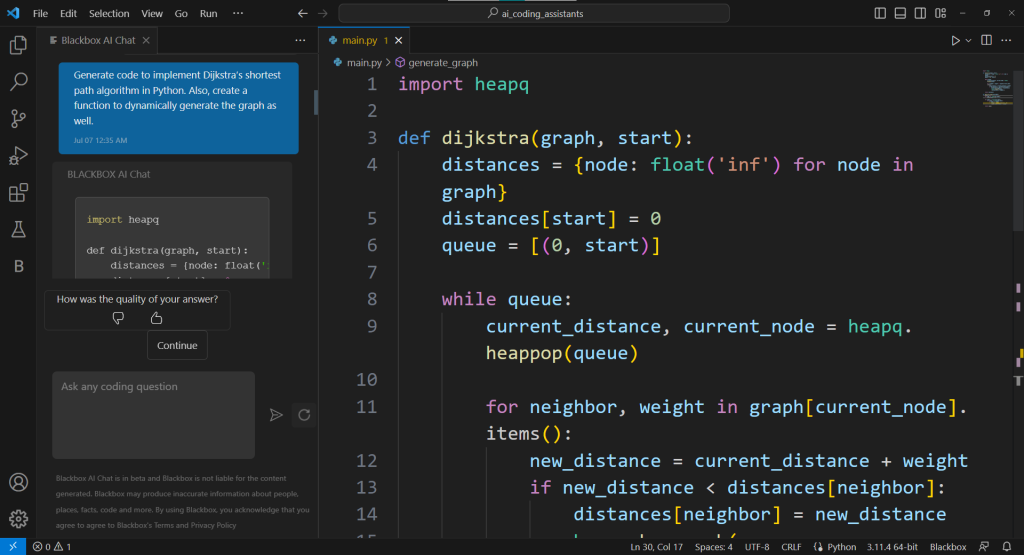
Blackbox AI is packed with features like code autocomplete, code search, and repo search. It is created to speed up software development by increasing the productivity of developers.
The code autocomplete feature provides suggestions in over 20 programming languages based on the developer’s input. The repo search allows developers to search through millions of open-source repo files directly within their integrated development environment (IDE). The code search feature helps developers find code snippets for their projects by entering a question or query.
These features are also available in Jupyter Lab and Jupyter Notebooks.
Conclusion
There are many free alternatives to GitHub Copilot that can be integrated with Visual Studio Code. Each of these alternatives offers unique features and capabilities, catering to different coding needs and preferences. Whether you want a chatbot-like coding assistant, personalized AI models, offline access, code privacy, or specialized support for AWS APIs, there is an alternative that suits your requirements.
Sixth stands out with its chatbot functionality and context-aware answers. It also has a command line interface that can suggest shell commands using natural language prompts.
Now it’s time to experiment with different AI coding assistants in your Visual Studio Code editor, finding the one that best complements your coding style and workflow. Embrace the power of AI in your coding journey and take your development process to new heights.


.png)



.png)
